What is Workflow Automation and When Does Your Company Need It?
Learn how workflow automation helps companies reduce manual tasks, organize requests, improve response speed, and connect business operations with smarter digital systems.
Many companies do not lose time because their teams are lazy.
They lose time because their workflows are manual.
A customer sends a request on WhatsApp.
Someone copies the details into a spreadsheet.
Another person sends a follow-up message.
A manager waits for a report.
A team member forgets to update the status.
The customer asks again.
The process repeats every day.
This is not a people problem.
It is a workflow problem.
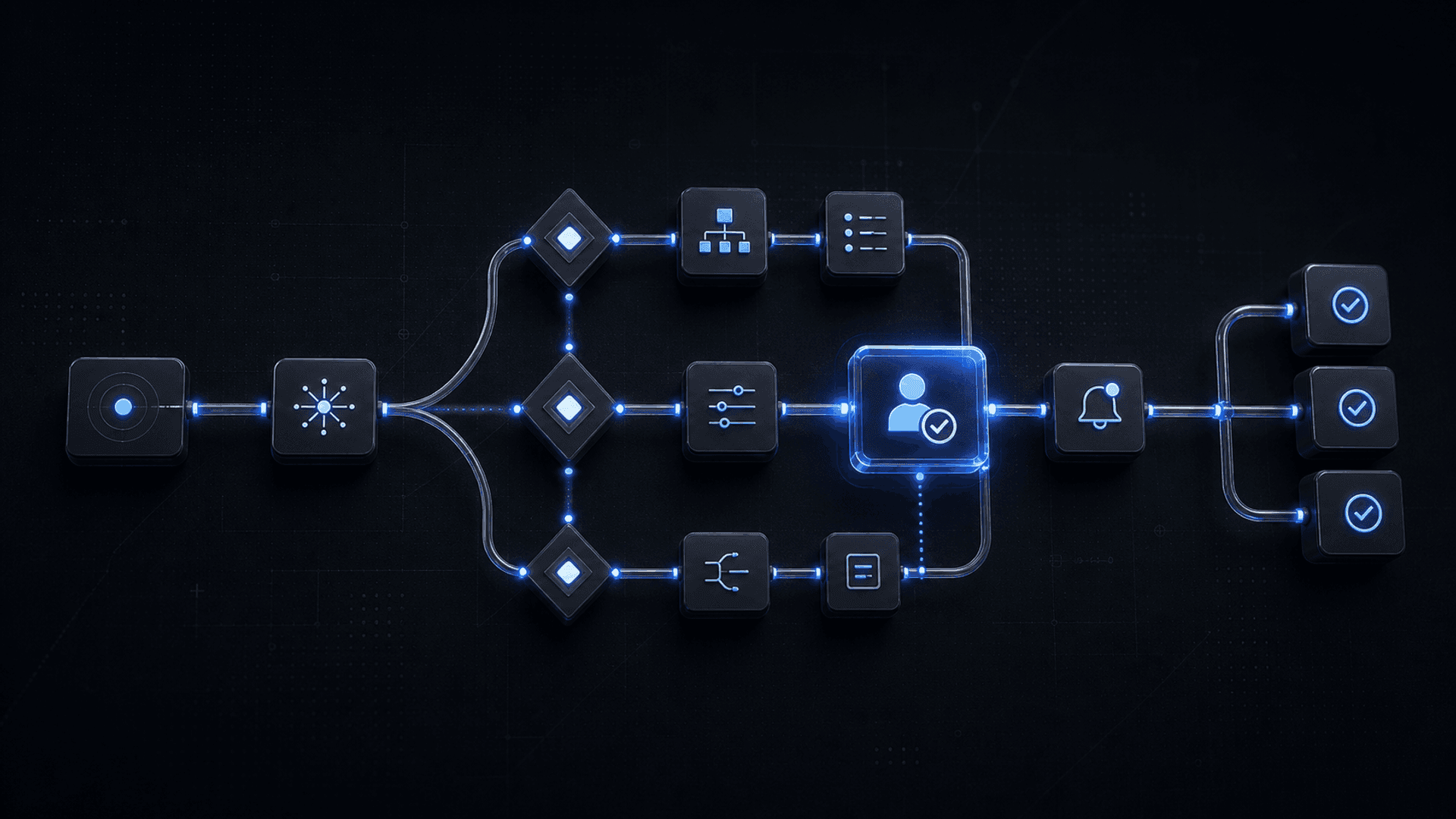
Workflow automation helps businesses reduce repetitive tasks, connect steps together, and make operations faster, clearer, and easier to manage.
For growing companies, automation is not just about saving time. It is about creating a better way for the business to work.
What is workflow automation?
Workflow automation means using software, systems, and rules to complete repeated business steps with less manual effort.
Instead of depending on people to move every task from one stage to another, an automated workflow can handle parts of the process automatically.
For example:
A lead submits a form.
The system stores the lead.
The sales team receives a notification.
A WhatsApp message is sent automatically.
The lead is assigned to the right person.
The status is tracked in a dashboard.
A follow-up reminder is created.
This is workflow automation.
It turns scattered manual actions into a clear, connected process.
Why workflow automation matters
As companies grow, manual work becomes harder to control.
At the beginning, a spreadsheet and a few WhatsApp messages may be enough. But over time, the number of customers, requests, employees, and tasks increases.
Without automation, the company may face:
- Slow response times
- Missed follow-ups
- Repeated manual data entry
- Confusing task ownership
- Poor visibility for managers
- Inconsistent customer experience
- Delayed reports
- Higher operational pressure
- More mistakes
Workflow automation helps solve these problems by creating structure.
It makes sure the right action happens at the right time, with the right data, and the right person notified.
Common examples of workflow automation
1. Lead management automation
When a new lead comes from a website, landing page, WhatsApp, or social media campaign, the system can automatically:
- Save the lead information
- Classify the request type
- Assign the lead to a sales person
- Send an instant confirmation message
- Create a follow-up reminder
- Update a CRM or dashboard
This helps businesses respond faster and reduce lost opportunities.
2. Customer request automation
Many companies receive requests from customers every day.
These requests may include service inquiries, support issues, applications, booking requests, complaints, documents, or follow-ups.
Automation can help collect the request, organize it, assign it, track its status, and notify the right team.
Instead of requests getting lost in messages, they become structured tasks.
3. WhatsApp workflow automation
In MENA, WhatsApp is one of the most important business communication channels.
But managing WhatsApp manually can become chaotic when message volume grows.
A WhatsApp workflow can help:
- Collect customer details
- Answer common questions
- Create support tickets
- Notify sales or operations teams
- Send reminders
- Follow up with leads
- Update request status
This allows teams to keep WhatsApp as a friendly customer channel while adding structure behind it.
4. Internal approval workflows
Some business processes require approval from managers or different departments.
Examples include:
- Purchase requests
- HR requests
- Leave requests
- Financial approvals
- Discount approvals
- Contract approvals
- Service changes
Automation can route each request to the right person, track approval status, and notify the team when action is needed.
This reduces delays and improves accountability.
5. Reporting automation
Many managers still depend on manual reports.
Team members collect numbers, update spreadsheets, and send reports at the end of the day, week, or month.
Automation can help generate dashboards and reports from live data.
This gives managers better visibility into:
- Sales activity
- Customer requests
- Support tickets
- Team performance
- Service status
- Revenue indicators
- Operational bottlenecks
Instead of waiting for manual reports, decision-makers can see what is happening faster.
6. Follow-up and reminder automation
Follow-ups are easy to forget when teams are busy.
Automation can create reminders and send messages based on specific triggers.
For example:
- Follow up with a lead after 24 hours
- Remind a customer to submit missing documents
- Notify a manager when a request is delayed
- Alert support when a ticket is unresolved
- Send onboarding steps after a customer signs up
This improves consistency and reduces missed opportunities.
When does your company need workflow automation?
Your company may need workflow automation if:
- Your team repeats the same tasks every day
- Customer requests are managed through scattered messages
- Important follow-ups are missed
- You depend heavily on spreadsheets
- Managers do not have clear visibility
- Customers wait too long for updates
- Your team manually copies data between tools
- Different departments are not connected
- Work depends too much on specific employees
- Growth is making operations harder to manage
A simple sign is this:
If your team says, “We do this manually every day,” that process may be ready for automation.
Workflow automation is not only for large companies
Many businesses think automation is only for large enterprises.
That is not true.
Automation can help startups, SMEs, and growing companies when they have repeated processes that consume time or create mistakes.
A company can start with one workflow, such as:
- Lead management
- Customer request tracking
- WhatsApp follow-up
- Internal approvals
- Support ticket routing
- Daily reporting
The goal is not to automate everything at once.
The goal is to identify the highest-impact process and improve it first.
What makes a good workflow automation system?
A good workflow automation system is not only about connecting tools.
It needs to match how the business actually works.
Important elements include:
Clear process mapping
Before automation starts, the workflow should be understood clearly. This includes who does what, when, and why.
Defined triggers
The system needs clear triggers, such as a new form submission, a new WhatsApp request, a status change, or a deadline.
Smart routing
Requests should go to the right person, department, or system.
Notifications and reminders
The team should know when action is needed without checking everything manually.
Dashboard visibility
Managers should be able to track progress, delays, and performance.
Integration with existing tools
The automation should connect with the tools the company already uses when possible.
Room for improvement
As the business grows, the workflow should be improved and expanded.
How AI can improve workflow automation
Traditional automation follows fixed rules.
AI can make automation smarter.
For example, AI can help:
- Classify customer requests
- Understand message intent
- Extract information from text
- Summarize support conversations
- Suggest the next action
- Prioritize urgent cases
- Detect repeated problems
- Generate reports from activity data
This is where workflow automation becomes more powerful.
Instead of only moving tasks from one step to another, AI-powered automation can help the business understand, decide, and act faster.
Examples by industry
Recruitment and domestic services
Automation can help manage customer requests, candidate documents, service status, contract steps, WhatsApp communication, and follow-ups.
Education and training
Automation can support admissions, free session bookings, parent communication, student progress updates, instructor notifications, and certificate workflows.
E-commerce and retail
Automation can handle order updates, support tickets, product inquiries, abandoned cart follow-ups, customer segmentation, and reporting.
Real estate
Automation can qualify leads, assign sales agents, schedule viewings, send follow-ups, and track buyer preferences.
Healthcare and clinics
Automation can support appointment requests, reminders, patient follow-ups, basic inquiries, and internal task routing.
Service companies
Automation can help manage tickets, technician assignments, service updates, client communication, and performance tracking.
How Evexa can help
Evexa helps companies design and build workflow automation systems that reduce manual work and improve operational clarity.
We help businesses:
- Analyze current workflows
- Identify repetitive tasks
- Map customer and internal processes
- Design automation logic
- Build dashboards and internal systems
- Connect forms, WhatsApp, CRM, email, and other tools
- Add AI where it creates real business value
- Create notifications, approvals, and follow-up workflows
- Improve the system after launch
Our goal is not to automate randomly.
Our goal is to build practical automation that supports your team, improves customer experience, and helps your business grow with less operational chaos.
Workflow automation helps companies move from scattered manual work to connected digital operations.
It reduces repetitive tasks, improves response speed, organizes requests, supports teams, and gives managers better visibility.
For growing companies, automation is one of the most practical ways to improve operations without immediately increasing team size.
The best starting point is simple:
Find the repeated process that wastes the most time, then turn it into a clear automated workflow.
Is your team losing time on repeated manual tasks?
Let’s build workflow automation that helps your business move faster, stay organized, and serve customers better.